
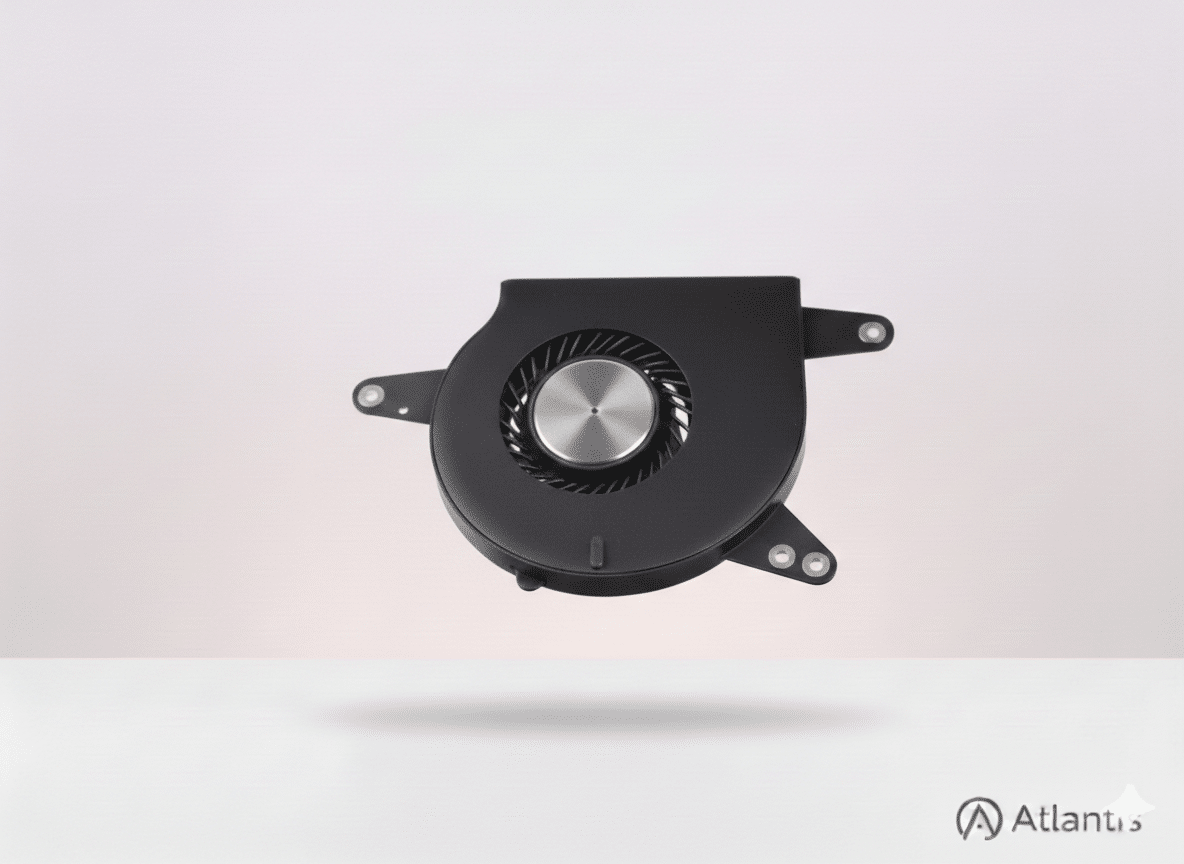
MacBook Fan Repair & Cooling System Service
A malfunctioning fan is more than just an annoying noise; it can impact your MacBook’s lifespan. When fans become clogged with dust or the bearings fail, your processor (CPU) can reach high temperatures, leading to “thermal throttling” where your Mac slows down—or even permanent hardware failure. At Atlantis, we provide a full cooling system service. We don’t just swap the fan; we clear the internal airways and ensure your MacBook runs as it should.
Meet Your Atlantis Technician
Every repair is completed by a specialist Atlantis technician with over 20 years of experience in Apple hardware. Every MacBook repair is conducted with precision in our Canterbury workshop. We don't just "replace parts"—we meticulously clean the entire thermal path, ensuring your device operates at the cool temperatures Apple intended. Whether you need a MacBook battery replacement or a fan fix, our goal is to return your device in peak condition.
Supported Models with Active Cooling
Most high-performance MacBooks rely on active fans to maintain speed. We repair cooling systems for:
- MacBook Pro: All 13", 14", 15", and 16" models (Intel & M-Series).
- MacBook Air: All Intel models and 15" M2/M3 models.
- Vintage Macs: We specialise in keeping older Macs running, often breathing new life into 10-year-old machines.
If your screen is also flickering due to heat issues, visit our MacBook screen repair page.
Verified Customer Reviews
⭐ "Found a vent was blocked"
"Pleased to say I have just had a very good experience with my 8-year-old Macbook. I needed a new battery but Atlantis technician was also able to repair a sticking key and clean the unit - which was fortunate as he found a vent was blocked with accumulated dust. Highly recommended." — Hedley Basford
⭐ "Cleaned the fan for me"
"My laptop had an issue that I thought would cost me alot, Atlantis technician was kind enough to help me look at it. He cleaned the fan for me, and it looks to be working fine. Highly recommend" — Isa Ahmed
⭐ "Breathed new life into it"
"If your old MacBook is not working very well take it to Atlantis Wincheap Canterbury. I took mine to them and after checking it out they breathed new life into it. The laptop is now fully working and good for a few more years." — Stephen Clark
The Process, Protection & Performance
Our cooling service involves a meticulous deep clean. We remove years of accumulated dust that traps heat against the motherboard and replace faulty fans with high-quality components. If you have multiple issues, visit our Main MacBook Repair Hub.
Privacy: Your data remains untouched. Since this is a hardware cooling repair, we do not require your password, ensuring your files remain private and secure.
Free UK-Wide Tracked Postal Service
We provide a simple repair service for customers across the UK. Once you book your fan repair, you will receive an email with our shop address and packing instructions. After the repair is complete—usually within 3 to 5 days—we pack your MacBook carefully and send it back to you via Royal Mail Tracked delivery, completely free of charge.
Questions and Answers
How do I send my MacBook to you for fan repair? Simply checkout on our website, and you will receive an email with our address and packing tips. Once your MacBook arrives, we’ll notify you, perform the repair, and return it via our free Royal Mail service.
Why is my MacBook fan so loud and making a grinding noise? A grinding sound usually means the fan’s bearings have failed or something is hitting the blades. A fan replacement is the best fix to restore quiet operation and protect your components.
Can a faulty fan cause my MacBook to slow down? Yes. If your fan isn’t cooling the processor effectively, macOS will automatically reduce the CPU speed (thermal throttling) to prevent heat damage. Replacing a faulty fan often restores your Mac’s original performance.
How is my MacBook returned? We use Royal Mail Tracked services for all return shipping. Your device is packed in a sturdy box designed for laptops to ensure it arrives back to you safely.
People Also Ask
How much does it cost to repair a MacBook fan?
The cost varies depending on the model, but professional fan replacement typically ranges from £60 to £120, which is significantly cheaper than a new motherboard caused by overheating.
How to fix a noisy MacBook fan?
A noisy fan is usually caused by dust buildup or bearing wear. A deep internal clean can sometimes solve it, but if the noise is a "grinding" sound, a physical fan replacement is required.
How do I know if my MacBook fan is broken?
Signs include a constant loud whirring/grinding noise, the MacBook feeling excessively hot to the touch, or the system frequently freezing and slowing down (thermal throttling).
How much to fix a MacBook Pro fan?
For MacBook Pro models, a professional fan replacement at Atlantis includes the part, a full cooling vent clean, and tracked return shipping for a competitive fixed fee.




Reviews
There are no reviews yet.